Dotfiles


Russ McKendrick · 1 min read ·
For the last few years I have been grabbing some we documented dotfiles from GitHub but most of them have either ended up reconfigured my Mac to the point of it being unrecognisable or they have just been a collection of useful aliases. The I came across Bashstrap, it was close enough to what I wanted so I forked it ….
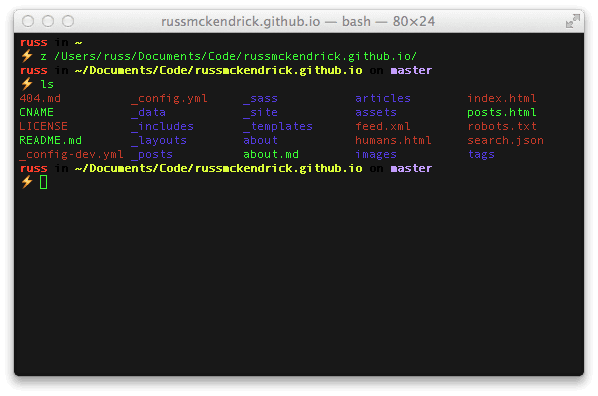
You can install them using the following commands;
git clone git@github.com:russmckendrick/dotfiles.git ~/.dotfilessudo easy_install Pygmentsbrew install treemv ~/.bash_profile ~/.dotfiles/backups/mv ~/.bashrc ~/.dotfiles/backups/mv ~/.gitconfig ~/.dotfiles/backups/ln -s ~/.dotfiles/.bash_profile ~/.bash_profileln -s ~/.dotfiles/.bashrc ~/.bashrcln -s ~/.dotfiles/.gitconfig ~/.gitconfigln -s ~/.dotfiles/.hushlogin ~/.hushloginln -s ~/.dotfiles/z.sh ~/.z.shOnce installed you can do stuff like;
- s . or s filename.txt will open your current directory or a file in Sublime Text 2
- m README.md will open the specified file in Marked 2
- Jump directories rapidly, without having to set aliases using Z
- Syntax highlighted ‘cat’
amongst other things;
Related terms: Agent SkillsAI Coding AssistantApplication Programming InterfaceClaude CodeCodexCommand-Line Interface
More from the archive
Launching a local Rancher cluster
Learn to launch a local Rancher cluster effortlessly with Docker for Mac beta and Docker Machine for smooth demo setups.
5 min read

Docker on Mac OSX
Experience Docker on macOS with enhanced speed and reliability. Learn how to install and leverage its native features seamlessly.
3 min read

Comments