# Upgrading to El Capitan
> Ready to upgrade to OS X 10.11 El Capitan? Follow my steps and enjoy a smooth transition with enhanced performance!
- Canonical: https://www.russ.cloud/2015/10/03/upgrading-to-el-capitan/
- Published: 2015-10-03
- Author: Russ McKendrick
- Tags: macOS
---
Every six months or so I like to do clean installs of all of my Macs. I try and time this for late September which is normally when Apple releases its latest updates. This year its OS X 10.11 El Capitan;
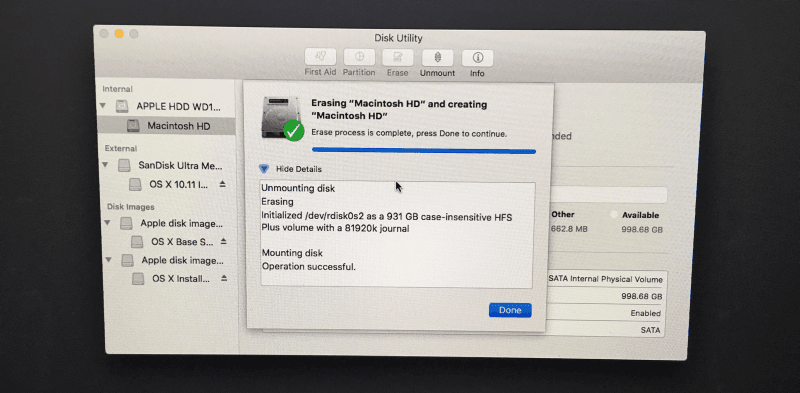
First thing to do is build a USB install disk so that , to do this I use [DiskMaker X](http://diskmakerx.com). Once the drive has been created I boot from it, erase “Macintosh HD” and then do the installation.
 Once installed and configured I goto the App Store and install the following;
- [1Password](https://agilebits.com/onepassword)
- [Evernote](https://evernote.com)
- [Tweetbot](http://tapbots.com/tweetbot/mac/)
Next up its the geeky stuff, time to roll my sleeves up and open the terminal to install;
- [Brew](http://brew.sh)
- [Cask](http://caskroom.io)
Brew now grabs the command line tools for you, so all you need to do is run;
```bash frame="terminal" title="Upgrading to El Capitan 1/3"
ruby -e “$(curl -fsSL https://raw.githubusercontent.com/Homebrew/install/master/install)"
brew doctor
brew install caskroom/cask/brew-cask
```
Once the basics are installed I checkout a copy of my [dotfiles from GutHub](https://github.com/russmckendrick/dotfiles), these contain the line export HOMEBREW_CASK_OPTS=” - appdir=/Applications” which means that when I come to install Apps using Cask that the links to them are installed in the main Applications folder and not the user one (a pet hate).
Once the dotfiles are in place install of the command line “stuff”;
```bash frame="terminal" title="Upgrading to El Capitan 2/3"
brew install asciinema hugo packer known_hosts stormssh terraform go node tree
```
and then the non appstore apps;
```bash frame="terminal" title="Upgrading to El Capitan 3/3"
brew cask install alfred sublime-text textexpander omnigraffle vagrant vmware-fusion github-desktop transmit virtualbox spotify microsoft-office-365 spotify deezer skype expandrive adobe-creative-cloud sonos vyprvpn bittorrent-sync
```
I then restore my backups from using time machine, everyone has [backups](/2015/02/08/backups/) right?
Once installed and configured I goto the App Store and install the following;
- [1Password](https://agilebits.com/onepassword)
- [Evernote](https://evernote.com)
- [Tweetbot](http://tapbots.com/tweetbot/mac/)
Next up its the geeky stuff, time to roll my sleeves up and open the terminal to install;
- [Brew](http://brew.sh)
- [Cask](http://caskroom.io)
Brew now grabs the command line tools for you, so all you need to do is run;
```bash frame="terminal" title="Upgrading to El Capitan 1/3"
ruby -e “$(curl -fsSL https://raw.githubusercontent.com/Homebrew/install/master/install)"
brew doctor
brew install caskroom/cask/brew-cask
```
Once the basics are installed I checkout a copy of my [dotfiles from GutHub](https://github.com/russmckendrick/dotfiles), these contain the line export HOMEBREW_CASK_OPTS=” - appdir=/Applications” which means that when I come to install Apps using Cask that the links to them are installed in the main Applications folder and not the user one (a pet hate).
Once the dotfiles are in place install of the command line “stuff”;
```bash frame="terminal" title="Upgrading to El Capitan 2/3"
brew install asciinema hugo packer known_hosts stormssh terraform go node tree
```
and then the non appstore apps;
```bash frame="terminal" title="Upgrading to El Capitan 3/3"
brew cask install alfred sublime-text textexpander omnigraffle vagrant vmware-fusion github-desktop transmit virtualbox spotify microsoft-office-365 spotify deezer skype expandrive adobe-creative-cloud sonos vyprvpn bittorrent-sync
```
I then restore my backups from using time machine, everyone has [backups](/2015/02/08/backups/) right?
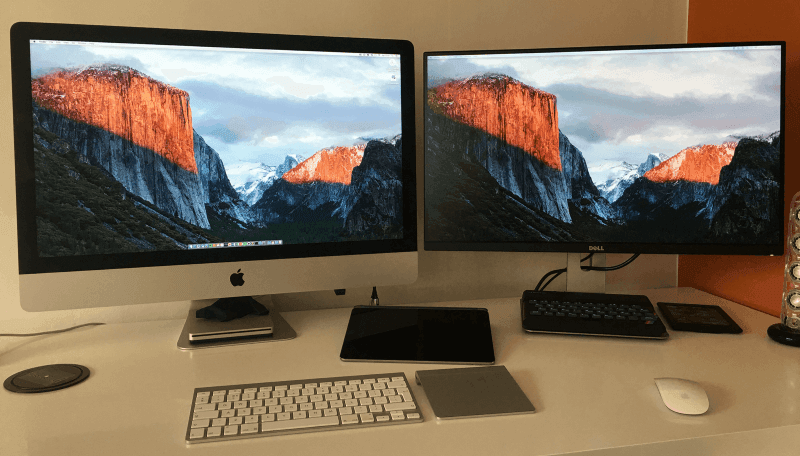 Finally, it’s time to put my preferred [desktop wallpaper](/2015/03/15/desktop-wallpaper/) back and everything is ready to go.