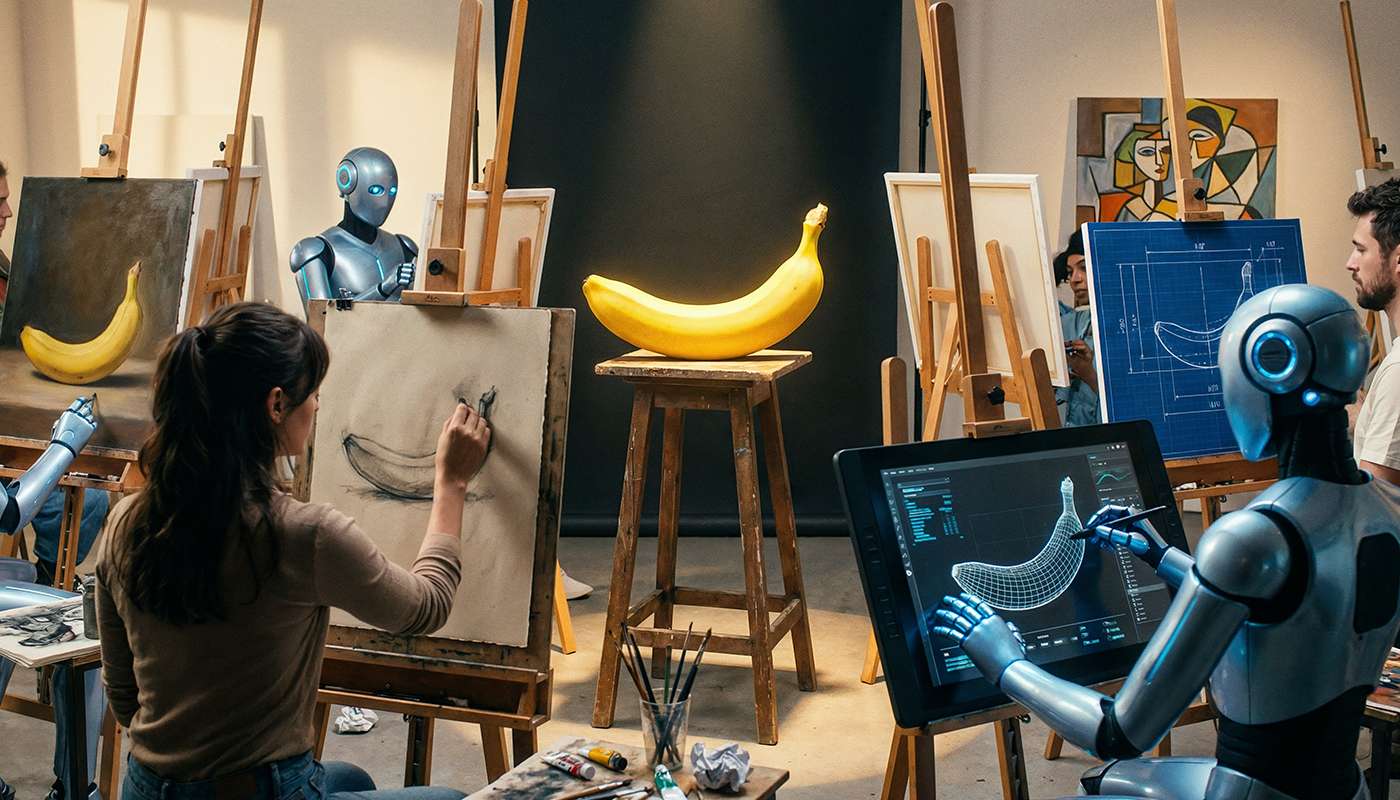
Playing with Nano Banana Pro: AI-Powered Album Cover Collages

Every week, I generate a “Listened to This Week” blog post that showcases my top albums from Last.fm. The header of each post is a custom cover collage—a visually stunning blend of album artwork that serves as the hero image. Until recently, I was using a local Sharp-based “torn paper strip” generator. But I wanted something more dynamic, more artistic, and more… AI-powered.
Enter Nano Banana Pro, Googles latest image editing model:
It is now available on the FAL.ai API and after implementing this I now have a sophisticated AI-powered collage generator that intelligently selects the most vibrant album covers, analyzes them with GPT-4 Vision, and composites them into quirky music masterpieces.
The Challenge
I found that creating collages is using well known album covers isn’t as simple as throwing images together. There are several challenges:
- Content Policy Violations: Album covers can contain imagery that triggers AI model safety filters
- Visual Quality: Not all album covers are equally vibrant or interesting
- Text Removal: Album covers have text/typography that needs to be removed
- Composition: The AI needs intelligent prompts to create cohesive artistic compositions
- Reliability: The system needs to handle failures gracefully and retry with alternative images
The Solution Architecture
The collage generator that I prompted using Claude Code uses a multi-stage pipeline that combines computer vision analysis, GPT-4 Vision prompting, and Nano Banana Pro’s image editing capabilities - the work flow looks something like this …
Error rendering diagram:
Image Selection Intelligence
The start of the process is the image selection algorithm. Instead of randomly picking albums, it analyzes each cover using three key metrics:
1. Color Saturation Analysis
// Calculate average saturation (max - min of RGB)const max = Math.max(r, g, b)const min = Math.min(r, g, b)saturationSum += (max - min)const avgSaturation = saturationSum / pixelCountHigh saturation = vibrant, eye-catching colors that work well in composites.
2. Color Variance Detection
// Calculate RGB variance for visual complexityconst totalVariance = (rVariance + gVariance + bVariance) / 3High variance = rich color diversity and visual interest.
3. Text Detection & Penalty
This is the clever bit. Album covers typically have text in the top and bottom regions (album title, artist name). The system:
- Extracts the top 20% and bottom 20% of each image
- Applies edge detection using a convolution kernel
- Counts high-intensity pixels (edges indicate text)
- Penalizes covers with heavy text
// Edge detection kernelkernel: [-1, -1, -1, -1, 8, -1, -1, -1, -1]
// Text score: higher = more text = worse for collageconst textScore = (totalEdgePixels / totalPixels) * 100
Weighted Scoring Formula
The final score combines all three metrics:
const colorScore = (avgSaturation * 0.4) + (Math.sqrt(totalVariance) * 0.3)const textPenalty = (100 - textScore) * 0.3const finalScore = colorScore + textPenaltyWeights (configurable in fal-collage-config.json):
- Saturation: 40% - Vibrant colors are most important
- Variance: 30% - Visual complexity matters
- Text Penalty: 30% - Avoid text-heavy covers
The GPT-4 Vision Advantage
Once the best albums are selected, GPT-4 Vision analyzes the actual visual content and generates a custom compositing prompt. This is crucial because generic prompts produce generic results.
The system prompt instructs GPT-4 to:
- Identify specific visual elements: “the portrait from the yellow cover”, “the building from the blue cover”
- Describe composition techniques: double-exposure, color grading, blend modes
- Create unified scenes: Not separate album covers, but one cohesive image
- Specify color treatment: Cohesive palette across the entire composition
Example Generated Prompt:
“Create a cinematic music blog header featuring the vibrant abstract faces from the colorful cover, blending them into the architecture of the church-like building with musicians from the second image. Add the spilled flower pot from the third cover in the foreground, and place the painter from the fourth cover painting this scene. Overlay the dreamy curtains from the fifth cover to add a soft, ethereal layer, using double-exposure techniques. Integrate the collage of faces from the sixth cover subtly into the background, and place the penguins from the seventh cover on the grassy field. Finally, position the black and white group from the eighth cover in the middle, tying the scene together with a cohesive blend of warm and cool tones. Remove all text and typography.”
This context-aware prompting produces far better results than static prompts.
Image Preprocessing Pipeline
Before sending images to Nano Banana Pro, they go through preprocessing to remove text regions:
Error rendering diagram:
This aggressive cropping removes most album text while preserving the core visual content.
Content Policy & Retry Logic
AI models have content policies. Some album covers trigger safety filters (violence, nudity, etc.). The solution: intelligent retry with alternative images.
Error rendering diagram:
The system:
- Pre-ranks ALL available albums by vibrancy/text score
- Attempts with top batch (albums 1-8)
- On policy violation, selects the NEXT batch (albums 7-12)
- Regenerates GPT-4 Vision prompt with new images
- Retries up to 3 times before failing
This approach has a high success rate because it systematically tries different image combinations.
Blacklist Management
Some albums are persistent offenders (I’m looking at you, Is This It and Með Suð Í Eyrum Við Spilum Endalaust). The config file includes a blacklist:
{ "blacklist": { "albums": [ "Is This It", "Med-sud-i-eyrum-vid-spilum-endalaust" ], "artists": [] }}Blacklisted items are filtered out before scoring, ensuring they never make it to the API and I don’t shouted for submitting pictures of bums !!!.
Configuration-Driven Design
Everything is configurable via fal-collage-config.json:
{ "model": { "name": "fal-ai/nano-banana-pro/edit", "fallback": "fal-ai/reve/fast/remix" }, "output": { "aspectRatio": "16:9", "numImages": 1, "format": "png", "resolution": "2K" }, "images": { "minCount": 2, "maxCount": 8, "cropRegions": { "top": 0.15, "bottom": 0.15, "left": 0.05, "right": 0.05 } }, "scoring": { "saturationWeight": 0.4, "varianceWeight": 0.3, "textPenaltyWeight": 0.3 }, "retry": { "maxAttempts": 3, "contentPolicyViolation": { "enabled": true, "excludeProblematicImages": true } }}Want to change the model? Update model.name. Want more aggressive text removal? Adjust images.cropRegions. Want to prioritize color variance over saturation? Tweak scoring weights.
Model Selection & Fallback Strategy
The collage generator is built around Nano Banana Pro as the primary model, with WAN 2.5 configured as a fallback option. This design provides reliability while leveraging the best available technology.
Why Nano Banana Pro?
When designing the system, I chose Nano Banana Pro for several key reasons:
- Photographic Quality: Produces photorealistic, cinematic results rather than painterly effects
- High Resolution: Native 2K (2048px) output without upscaling artifacts
- Better Composition: Stronger understanding of spatial relationships and scene composition
- Text Removal: More effective at removing typography while preserving visual elements
- Color Preservation: Maintains original album artwork vibrancy better
Configuration-Driven Model Selection
The system uses a flexible config-driven approach defined in fal-collage-config.json:
{ "model": { "name": "fal-ai/nano-banana-pro/edit", "fallback": "fal-ai/reve/fast/remix" }}The implementation loads the model dynamically:
const modelName = config.model?.name || "fal-ai/nano-banana-pro/edit"
const apiInput = {  prompt: smartPrompt || defaultPrompt,  image_urls: uploadedUrls,  aspect_ratio: "16:9",  num_images: 1,  output_format: "png",  resolution: "2K"}
const result = await fal.subscribe(modelName, {  input: apiInput,  logs: debug,  onQueueUpdate: (update) => {    if (debug && update.status === "IN_PROGRESS") {      update.logs?.map(log => log.message).forEach(msg => console.log(`[FAL] ${msg}`))    }  }})
Fallback Strategy
While Nano Banana Pro is the primary model, the configuration includes a fallback model (fal-ai/reve/fast/remix) that can be activated by simply changing the config file. This provides:
- Flexibility: Switch models without code changes
- Reliability: Alternative if Nano Banana Pro has availability issues
- Experimentation: Easy A/B testing between different models
- Future-proofing: Simple to add new models as FAL.ai releases them
The result? Photorealistic context aware music blog headers that look professionally designed—all generated automatically each week.
The Results
I tested with the post from Nov 17, 2025 post, which contained these albums:


As you can see from the output below and the covers above it certainly made the right choice for which 8 covers to use for the collage, it correctly skipped the all text Stop Making Sense, and the not very colorful Songs from the Big Chair and A Secret Wishhttps://www.russ.fm/album/a-secret-wish-35663980/) …
Creating FAL.ai music collage...\nInput folder: /Users/russ.mckendrick/Code/blog/public/assets/2025-11-17-listened-to-this-week/albumsFound 11 album images\nCreating FAL.ai collage...\n Creating FAL.ai collage (1400x800)... Analyzing 11 images (color vibrancy + text detection + blacklist filtering)... Top 11 best images (vibrant + low text): 1. Zeitgeist.jpg [color: 48.0, text: 23.7%, final: 70.9] 2. So-Here-We-Are-Best-Of-Doves.jpg [color: 40.4, text: 9.0%, final: 67.7] 3. De-La-Soul-Is-Dead.jpg [color: 37.1, text: 7.7%, final: 64.8] 4. The-Big-Lad-In-The-Windmill.jpg [color: 35.8, text: 19.5%, final: 59.9] 5. Lost-in-the-Dream.jpg [color: 31.3, text: 10.9%, final: 58.1] 6. Metropolis-Pt-2-Scenes-From-a-Memory.jpg [color: 31.1, text: 11.1%, final: 57.8] 7. Best-of-1969-1974.jpg [color: 31.8, text: 21.0%, final: 55.5] 8. Specials.jpg [color: 28.4, text: 15.7%, final: 53.7] 9. A-Secret-Wish.jpg [color: 27.8, text: 18.0%, final: 52.4] 10. Songs-from-the-Big-Chair.jpg [color: 25.8, text: 12.1%, final: 52.2] 11. Stop-Making-Sense-Music-from-a-film-by-Jonathan-Demme-and-Talking-Heads.jpg [color: 22.7, text: 13.8%, final: 48.6] Strategy: Send 8 individual album covers to Gemini 3 Pro model (2-8 range) Ranked 11 images by vibrancy + text score Will retry up to 3 times if content policy issues occur Attempt 1: Selected 8 albums: 1. Zeitgeist.jpg 2. So-Here-We-Are-Best-Of-Doves.jpg 3. De-La-Soul-Is-Dead.jpg 4. The-Big-Lad-In-The-Windmill.jpg 5. Lost-in-the-Dream.jpg 6. Metropolis-Pt-2-Scenes-From-a-Memory.jpg 7. Best-of-1969-1974.jpg 8. Specials.jpg Pre-processing and uploading 8 albums: Processing Zeitgeist.jpg... Cropping Zeitgeist.jpg: 1500x1500 → 1349x1050 → Uploaded: https://v3b.fal.media/files/b/zebra/qh45oC-X8U5EHI4IDnTTl_Zeitgeist.jpg Processing So-Here-We-Are-Best-Of-Doves.jpg... Cropping So-Here-We-Are-Best-Of-Doves.jpg: 1500x1500 → 1349x1050 → Uploaded: https://v3b.fal.media/files/b/monkey/qfWi_zFOwABweDyDQE1Sd_So-Here-We-Are-Best-Of-Doves.jpg Processing De-La-Soul-Is-Dead.jpg... Cropping De-La-Soul-Is-Dead.jpg: 1024x1024 → 921x716 → Uploaded: https://v3b.fal.media/files/b/tiger/nCSgsSHYN-3SLQ5Cq0qUd_De-La-Soul-Is-Dead.jpg Processing The-Big-Lad-In-The-Windmill.jpg... Cropping The-Big-Lad-In-The-Windmill.jpg: 1024x1024 → 921x716 → Uploaded: https://v3b.fal.media/files/b/penguin/HXmy8r0L24DUM52p2bASd_The-Big-Lad-In-The-Windmill.jpg Processing Lost-in-the-Dream.jpg... Cropping Lost-in-the-Dream.jpg: 1425x1425 → 1282x997 → Uploaded: https://v3b.fal.media/files/b/rabbit/SngKAtV8avD-tNCCGxtbH_Lost-in-the-Dream.jpg Processing Metropolis-Pt-2-Scenes-From-a-Memory.jpg... Cropping Metropolis-Pt-2-Scenes-From-a-Memory.jpg: 1024x1024 → 921x716 → Uploaded: https://v3b.fal.media/files/b/elephant/4dBAexdI-O2phSnBGUe0V_Metropolis-Pt-2-Scenes-From-a-Memory.jpg Processing Best-of-1969-1974.jpg... Cropping Best-of-1969-1974.jpg: 1024x1024 → 921x716 → Uploaded: https://v3b.fal.media/files/b/rabbit/buCRs63ekxrIZteMYXkBZ_Best-of-1969-1974.jpg Processing Specials.jpg... Cropping Specials.jpg: 1024x1024 → 921x716 → Uploaded: https://v3b.fal.media/files/b/penguin/dymm0RrVm-ncPUfDHgrFo_Specials.jpg Analyzing album covers with GPT-4 Vision... ✓ Generated smart prompt: "Create a cinematic music blog header featuring the vibrant abstract faces from the colorful cover, blending them into the architecture of the church-like building with musicians from the second image. Add the spilled flower pot from the third cover in the foreground, and place the painter from the fourth cover painting this scene. Overlay the dreamy curtains from the fifth cover to add a soft, ethereal layer, using double-exposure techniques. Integrate the collage of faces from the sixth cover subtly into the background, and place the penguins from the seventh cover on the grassy field. Finally, position the black and white group from the eighth cover in the middle, tying the scene together with a cohesive blend of warm and cool tones. Remove all text and typography." Generating collage with 8 images using Gemini 3 Pro Image... Using AI-generated prompt Prompt: "Create a cinematic music blog header featuring the vibrant abstract faces from the colorful cover, blending them into the architecture of the church-like building with musicians from the second image. Add the spilled flower pot from the third cover in the foreground, and place the painter from the fourth cover painting this scene. Overlay the dreamy curtains from the fifth cover to add a soft, ethereal layer, using double-exposure techniques. Integrate the collage of faces from the sixth cover subtly into the background, and place the penguins from the seventh cover on the grassy field. Finally, position the black and white group from the eighth cover in the middle, tying the scene together with a cohesive blend of warm and cool tones. Remove all text and typography." Aspect ratio: 16:9 API payload: { "prompt": "Create a cinematic music blog header featuring the vibrant abstract faces from the colorful cover, blending them into the architecture of the church-like building with musicians from the second image. Add the spilled flower pot from the third cover in the foreground, and place the painter from the fourth cover painting this scene. Overlay the dreamy curtains from the fifth cover to add a soft, ethereal layer, using double-exposure techniques. Integrate the collage of faces from the sixth cover subtly into the background, and place the penguins from the seventh cover on the grassy field. Finally, position the black and white group from the eighth cover in the middle, tying the scene together with a cohesive blend of warm and cool tones. Remove all text and typography.", "image_urls": [ "https://v3b.fal.media/files/b/zebra/qh45oC-X8U5EHI4IDnTTl_Zeitgeist.jpg", "https://v3b.fal.media/files/b/monkey/qfWi_zFOwABweDyDQE1Sd_So-Here-We-Are-Best-Of-Doves.jpg", "https://v3b.fal.media/files/b/tiger/nCSgsSHYN-3SLQ5Cq0qUd_De-La-Soul-Is-Dead.jpg", "https://v3b.fal.media/files/b/penguin/HXmy8r0L24DUM52p2bASd_The-Big-Lad-In-The-Windmill.jpg", "https://v3b.fal.media/files/b/rabbit/SngKAtV8avD-tNCCGxtbH_Lost-in-the-Dream.jpg", "https://v3b.fal.media/files/b/elephant/4dBAexdI-O2phSnBGUe0V_Metropolis-Pt-2-Scenes-From-a-Memory.jpg", "https://v3b.fal.media/files/b/rabbit/buCRs63ekxrIZteMYXkBZ_Best-of-1969-1974.jpg", "https://v3b.fal.media/files/b/penguin/dymm0RrVm-ncPUfDHgrFo_Specials.jpg" ], "aspect_ratio": "16:9", "num_images": 1, "output_format": "png", "resolution": "2K"} Using model: fal-ai/nano-banana-pro/edit Generated image URL: https://v3b.fal.media/files/b/penguin/Bs5Dx01KgUcnveOxhN5am.png ✓ Created FAL.ai collage with 8 vibrant album covers\n✓ FAL.ai collage complete! Output: /Users/russ.mckendrick/Code/blog/test-output/tunes-cover-2025-11-17-listened-to-this-week.png Dimensions: 1400×800 Selected images: 8This gave us the following:

I also went back and did the rest of the year, here are some more examples:


Try It Yourself
The collage generator is part of my blog’s codebase and runs automatically via GitHub Actions every week. You can find the key files below:
- Main script: scripts/fal-collage.js
- Config: scripts/fal-collage-config.json
- Tunes generator: scripts/generate-tunes-post.js (orchestrator)
Required environment variables:
FAL_KEY=your-fal-api-keyOPENAI_API_KEY=your-openai-keyRun manually:
node scripts/fal-collage.js --input=./albums --output=./collage.png --debugSummary
Migrating to Nano Banana Pro transformed my weekly music blog post workflow, what started as a simple image processing task evolved into a AI-powered pipeline that combines:
- Computer vision (color analysis, text detection)
- GPT-4 Vision (intelligent prompt generation)
- Nano Banana Pro (photographic composition)
- Smart retry logic (content policy handling)
The result? Unique cover collages that make each weekly post visually distinctive—and all generated automatically.
Next time you see a “Listened to This Week” post, you’ll know there’s a lot more than meets the eye behind that cover image.
Resources
Share
Related Posts

Install n8n locally using Cloudflare
Learn to install n8n locally with Docker and Cloudflare Tunnel. Includes PostgreSQL setup and Zero Trust security for home lab deployment.
Doom or Vibe Coding
A look at the exciting AI announcements from Google I/O, Microsoft Build, and Anthropic's Claude 4 launch, plus a new Doom game.
Installing and running InvokeAI on macOS
A step-by-step guide on installing and running InvokeAI on macOS for local AI image generation using Conda and Python.