An Experiment with Docker & HHVM

Experimented with Docker and HHVM for our Drupal7 site at work, achieving a seamless transition and saving significant setup time.

Russ McKendrick · · 3 min read
Now the dev team at work have moved over to using Docker we decided to have some fun.
An internal system we use is based on Drupal7, the development version of the site has a NGINX / PHP 5.4 container running in front of it. We have been hearing alot about HHVM so why not try building a container and seeing if it our codebase works?
First off, as I prefer to use CentOS, I needed to find a way of getting HHVM installed which wouldn’t take hours (a build from source can notoriously take hours) as I was on the clock. Luckily for me someone had pushed a package to Copr meaning I could do a yum install and quickly adapt the Dockerfile I already had in place for PHP 5.4 changing it from ….
### Dockerfile## See https://github.com/russmckendrick/docker/
FROM russmckendrick/base:latestMAINTAINER Russ McKendrick <russ@mckendrick.io>
ADD nginx.repo /etc/yum.repos.d/RUN yum -y install nginx mariadb php php-fpm php-mysql php-pdo php-devel php-gd php-pecl-memcache php-pspell php-snmp php-xmlrpc php-xml php-mcrypt php-mbstring php-imap php-pecl-xdebug php-pecl-xhprof python-setuptools && yum clean allRUN easy_install pip && pip install “pip>=1.4,<1.5” - upgrade && pip install supervisorRUN useradd webserver -u 666 && gpasswd -a webserver apacheADD conf-supervisord.conf /etc/supervisord.confADD default.conf /etc/nginx/conf.d/default.confRUN curl -sS https://getcomposer.org/installer | php && mv composer.phar /usr/local/bin/composerADD run /usr/local/bin/RUN chmod +x /usr/local/bin/runCMD [“/usr/local/bin/run”]
…. to ….
### Dockerfile## See https://github.com/russmckendrick/docker/
FROM russmckendrick/base:latestMAINTAINER Russ McKendrick <russ@mckendrick.io>
ADD nginx.repo /etc/yum.repos.d/ADD hhvm.repo /etc/yum.repos.d/RUN yum -y install yum-plugin-replaceRUN yum -y install nginx mariadb hhvm python-setuptools postfix gcc make && yum clean allRUN easy_install pip && pip install “pip>=1.4,<1.5” - upgrade && pip install supervisorRUN groupadd apache && useradd webserver -u 666 && gpasswd -a webserver apache && mkdir -p /var/www/html/ && chown -R webserver:webserver /var/www/html/ADD index.php /var/www/html/ADD conf-supervisord.conf /etc/supervisord.confADD default.conf /etc/nginx/conf.d/default.confADD run /usr/local/bin/RUN chmod +x /usr/local/bin/runCMD [“/usr/local/bin/run”]
…. and hey presto a working HHVM image. Now all we had to do was change the reference to the container being pulled down in the fig.yml file for the project. After doing a fig stop and then fig rm we did a fig up -d and waited ….
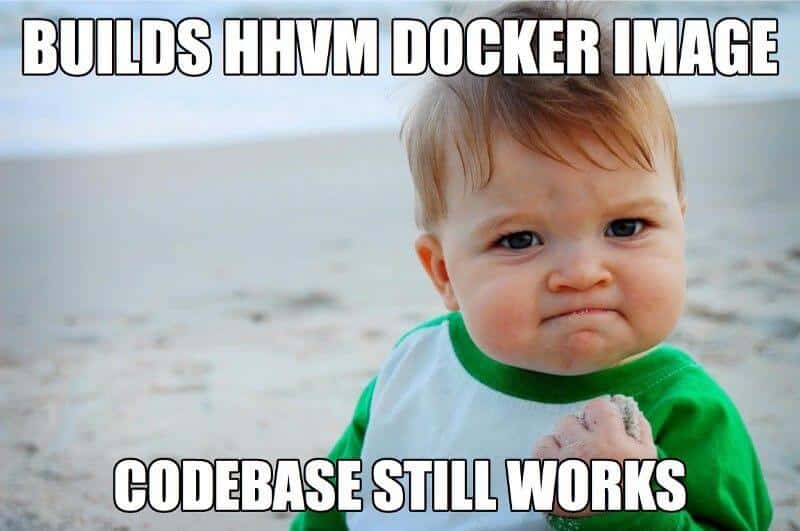
…. yep, it just worked. Within 30 minutes we had decided to try HHVM, built a Docker Image and put it in-front of our codebase.
Due to actually needing to get on with some work we could not do much in-depth testing and simply put the PHP 5.4 container back in front of the codebase.
To achieve this without Docker it would have meant taking the following steps ….
- Commission a new Dev VM
- Install the new software stack
- Configure the new software stack
- Copy the codebase and database backup to the new VM
- Test, play then remove VM
…. all of which would have taken a good few hours of back & forth with the development and operations team.
Finally, this seems as a good as place as any to embed a copy of a presentation I have produced on how we at Reconnix are using Docker ….

Related terms: Agent SkillsAI Coding AssistantApplication Programming InterfaceClaude CodeCodexCommand-Line Interface
Keep reading

Comments