Moving to ZSH

Transition smoothly to ZSH on macOS Catalina with tips on setup, Oh My ZSH installation, theme customization, and porting existing configurations.

Russ McKendrick · · 2 min read
After the announcement a few weeks back that Apple would be defaulting to zsh in macOS Catalina I decided to take the plunge and make the switch on my current machines.
I have tried making the switch once before, but for one reason or another I ended up reverting back to Bash. This time I decided to do a little more reading up and also add the .zshrc file to my dotfiles repo and move as much as my .bash_profile over as possible.
First of all, I started by installing zsh and a Powerline font, as I already had Homebrew and Cask installed I simply needed to run;
$ brew install zsh$ brew cask install font-source-code-pro-for-powerlineOnce I had the basics installed, rather than configuring it all myself I decided to install Oh My ZSH and use that as a starting point, I did that by running;
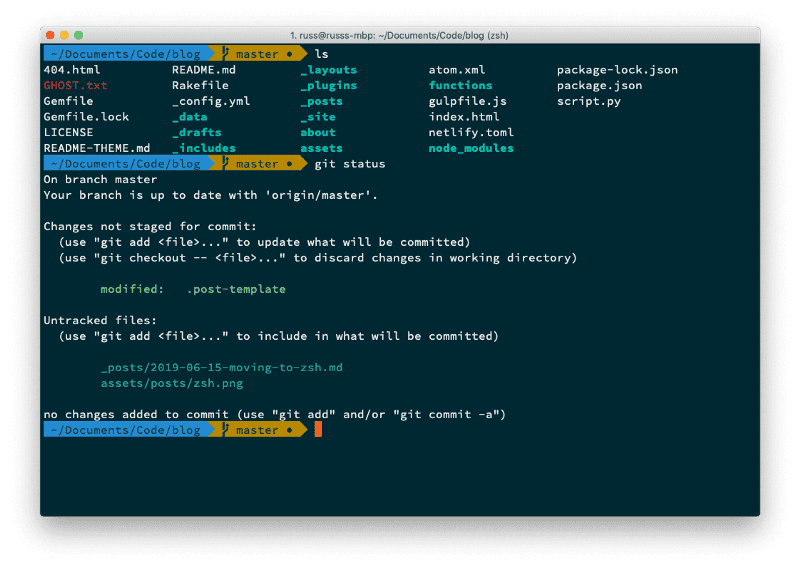
$ sh -c "$(curl -fsSL https://raw.githubusercontent.com/robbyrussell/oh-my-zsh/master/tools/install.sh)"Once that had completed, I enabled the Agnoster ZSH theme and enabled the Sauce Code Powerline font in iTerm2, this has left me a terminal which looks like the following;
Moving over my existing aliases and more importantly, the excellent z.sh which is what I use to jump around folders when on the command line seem to work without any problems - which is where I think I had problems before.
So far, no complaints - it will be an interesting week using it at work and tweaking the settings.